Streamlining how The Peak's editorial team briefs, tracks, and pays illustrators with Peak Create
Over one month, I designed the user experience and interface for an illustration request tool that connects Production Editors, Section Editors, and Illustrators in one shared workspace with full visibility into the workflow. I collaborated with a UX researcher and two UX writers.
How it started
Being part of the team gave me a front-row view of where things broke down each week.
The Peak is SFU's student newspaper, published weekly. I joined as an Assistant Editor in 2021. Every Production Friday, I take articles, photos, and illustrations and lay them out in InDesign for print and web.
Illustrations are supposed to arrive before production day, but sometimes they'd come in late. I'd watch my Production Editor chase down illustrators over email.
What does the illustration workflow actually look like before production day?
Research
We interviewed both editors and watched a live working day to see how the tools were actually used.
I teamed up with a UX researcher and two UX writers. We interviewed the Production Editor and a Section Editor, and observed a live working day to see how the tools were actually being used.
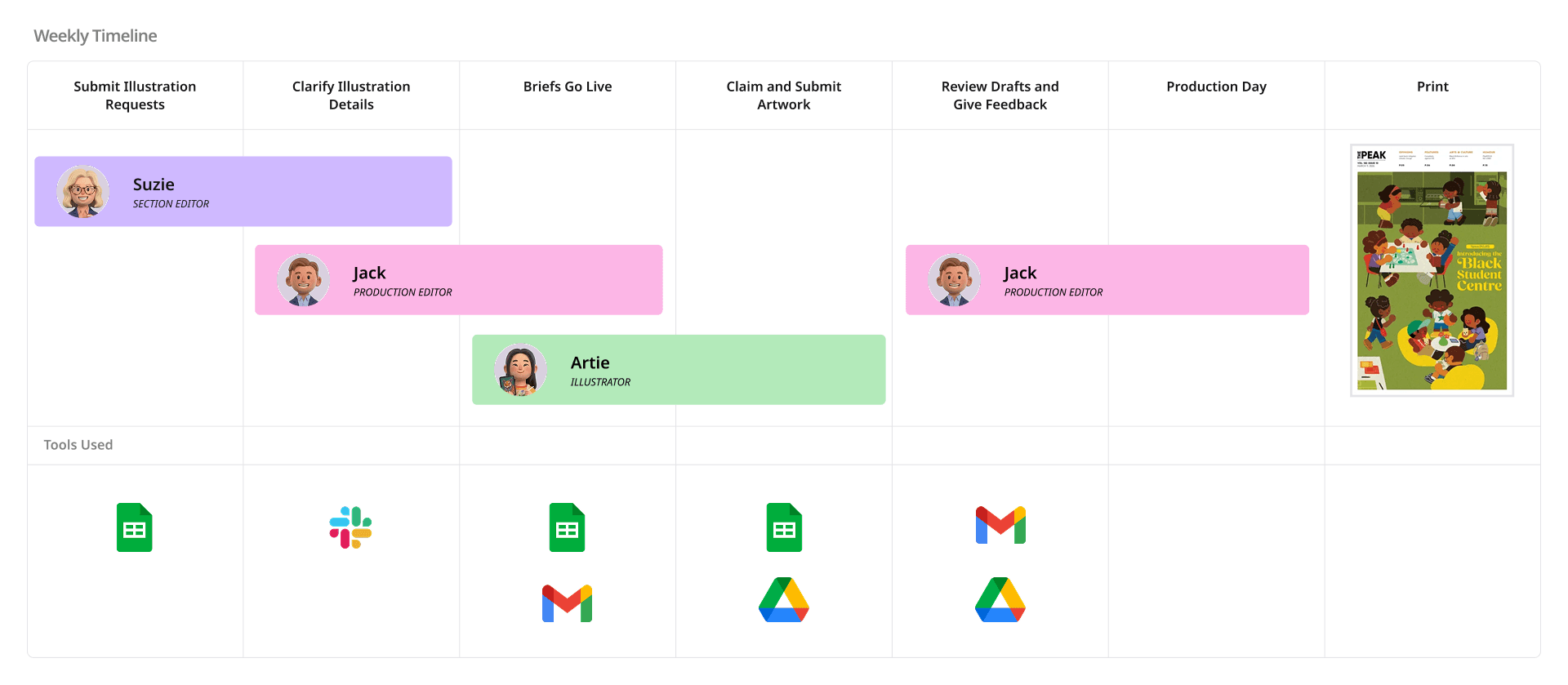
We learned the pipeline involves three roles: 5 Section Editors who submit illustration requests, 1 Production Editor who owns the entire workflow, and 11 freelance illustrators who self-claim tasks and deliver by deadline.
Who's involved
writes articles, determines when illustrations are needed and submits requests.
reviews and releases requests, monitors submissions, prepare files for production day.
browses weekly requests, claims work, delivers artwork by deadline.
Problem
3 to 5 illustration requests go out each week, and the Production Editor manually tracks each one across multiple tools throughout the week.
When I asked my Production Editor about the most consuming part of the process, she said:
It's not really time. I would say it's more like mentally draining. Throughout the week, when I see the request from a session editors and then send it out to illustrators and get to draft, I'm always thinking if they are done yet.
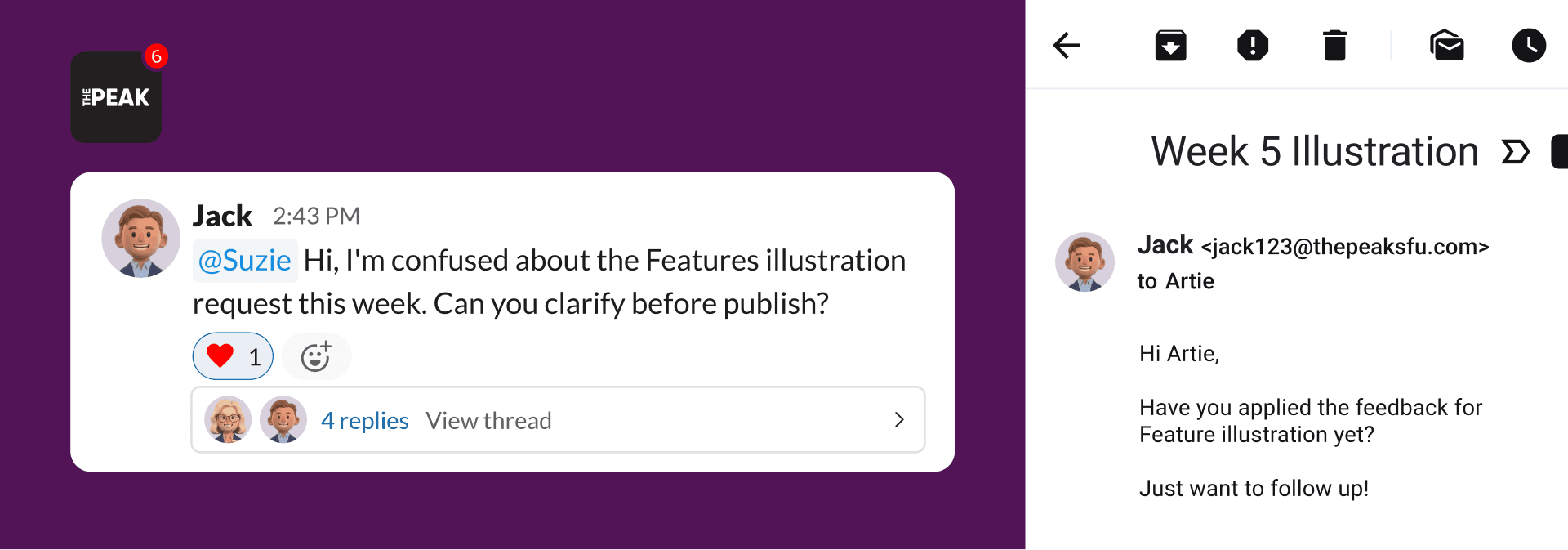
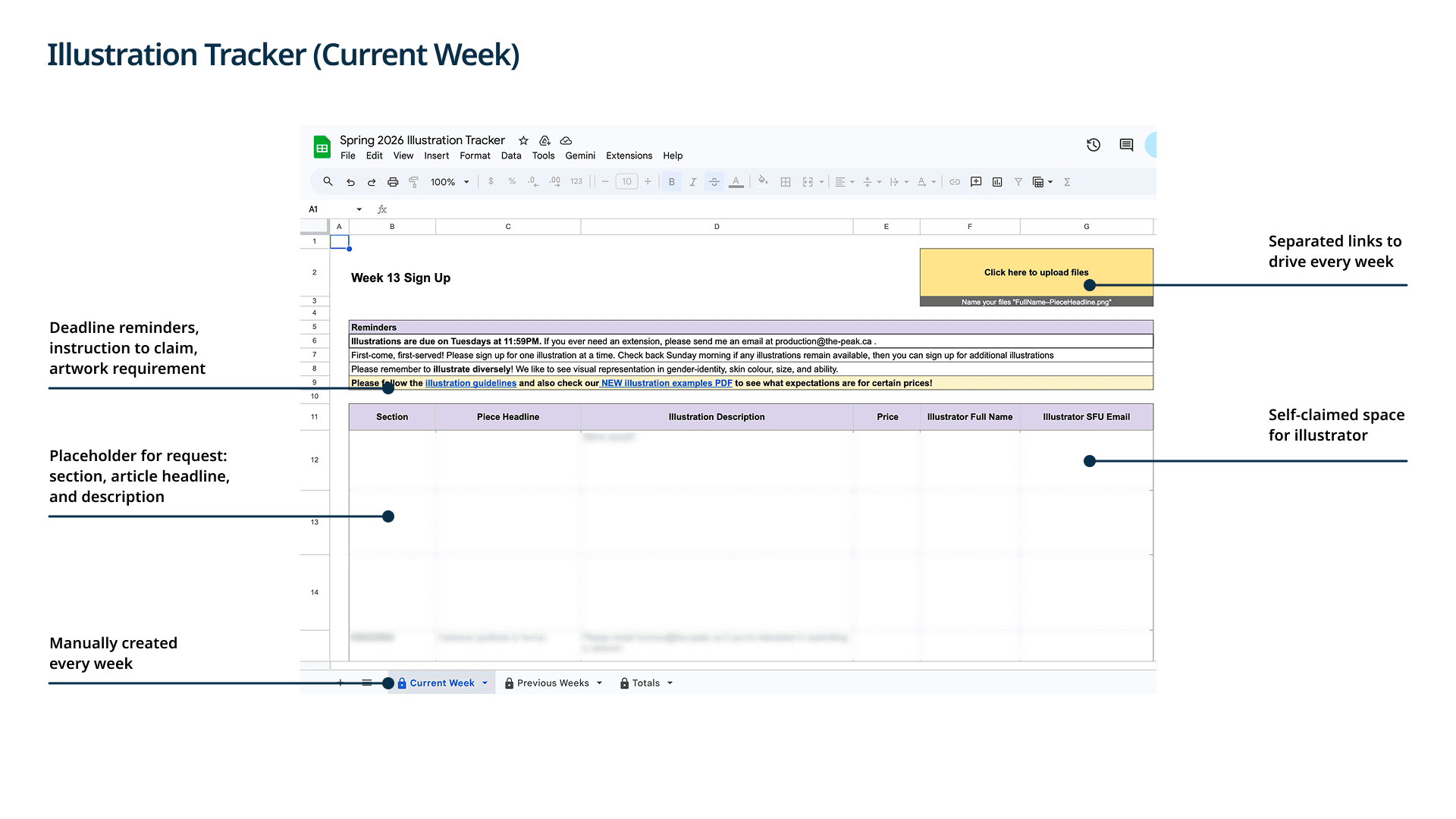
That shifted my focus. With no single tool connecting a request from brief to payment, everything runs across Sheets, Slack, Gmail, and Drive.
Findings
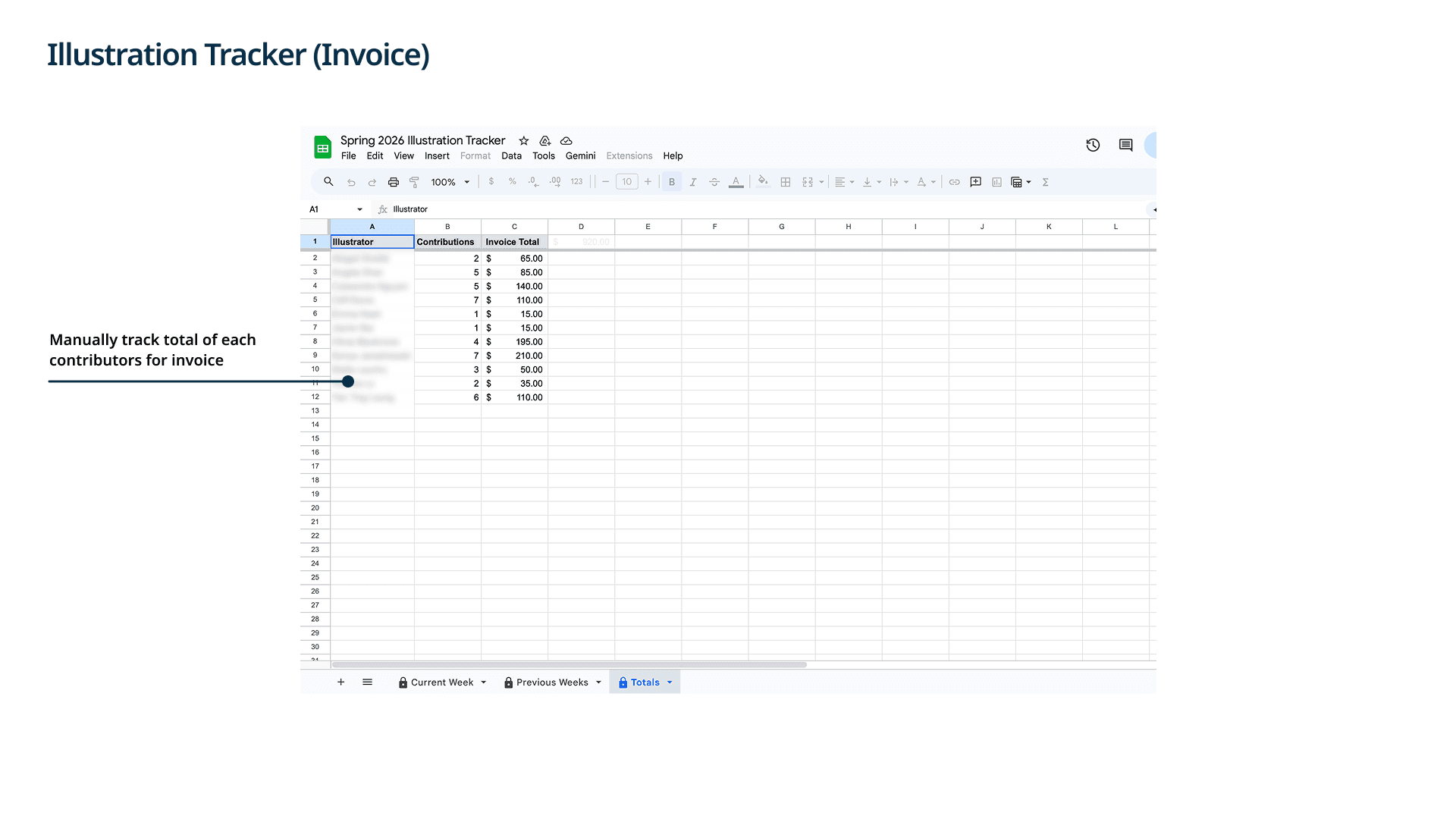
The illustration workflow is split across four tools with no connection between them.
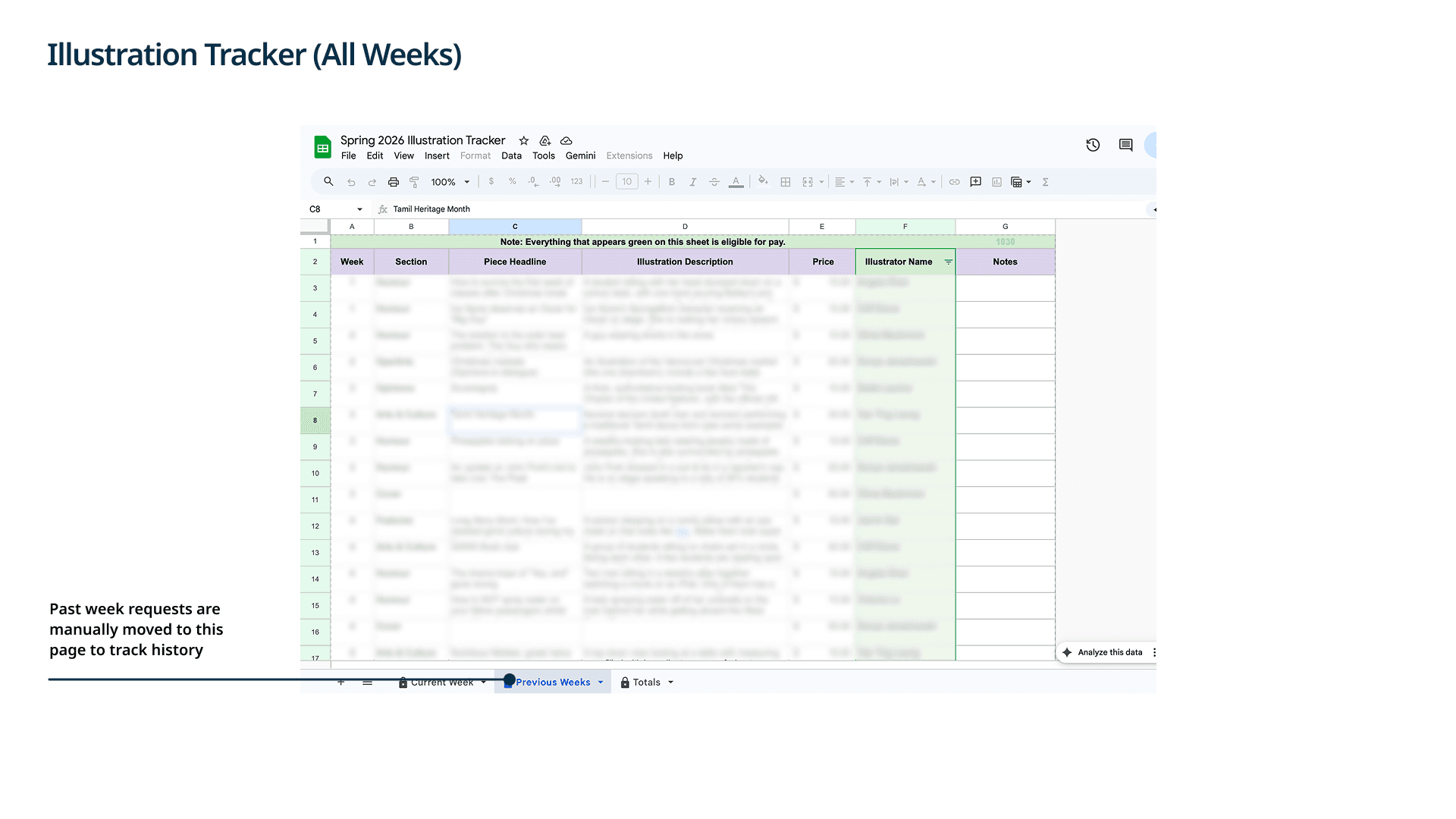
Using everything from interviews and observation, I traced where requests break down. The pattern was consistent: briefs lacked structure because editors typed into a free-text cell, clarifications got lost across Slack and email, submissions landed in a generic Drive folder with no link back to the request, and invoices were tallied by hand at semester end.
Design challenge 01
How might we give the production editor full visibility into the pipeline so they're not manually bridging every step?
Design challenge 02
How might we help section editors write briefs that give illustrators everything they need?
Design challenge 03
How might we give illustrators a direct feedback channel so they can start work with confidence?
Design process
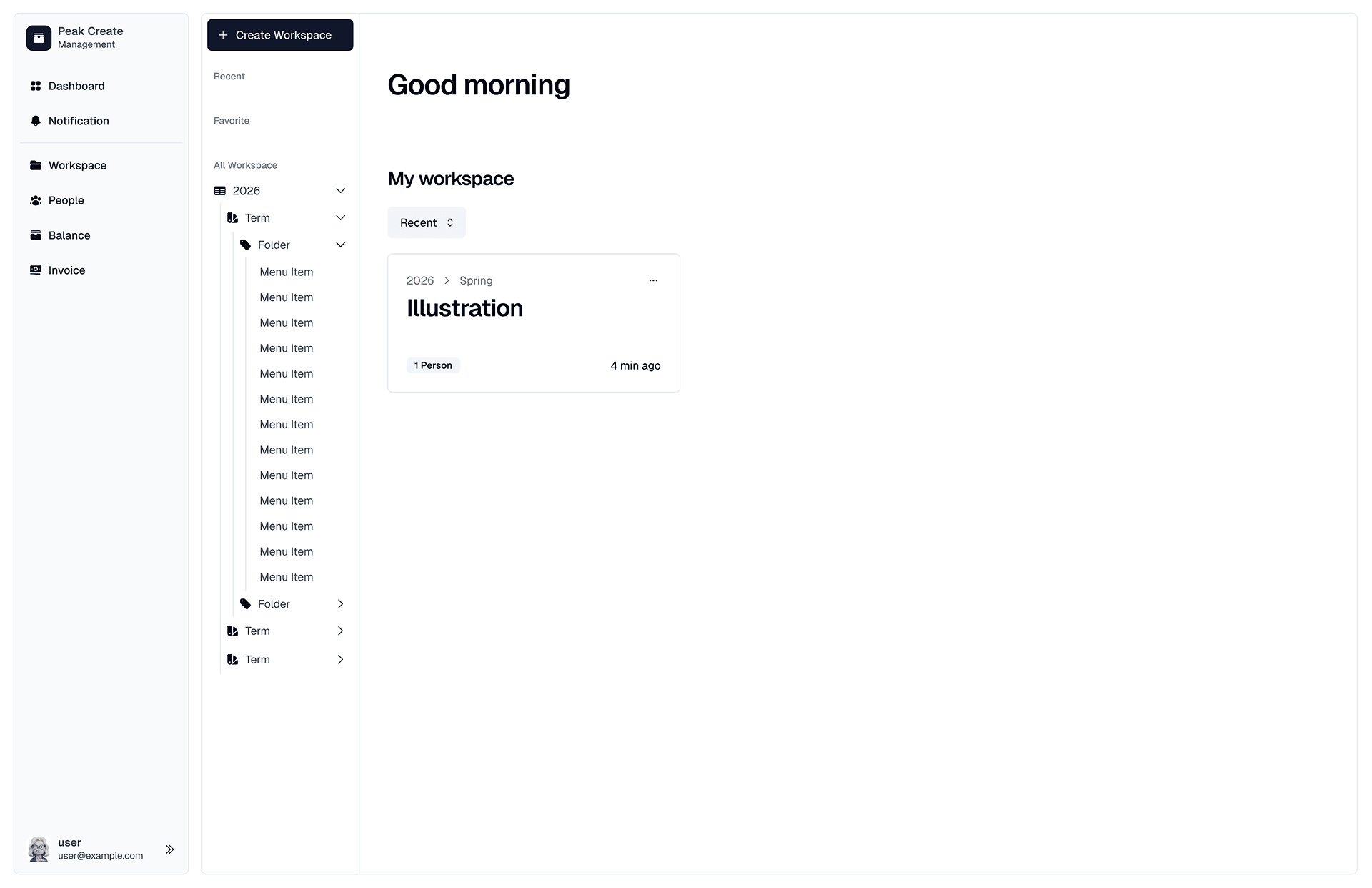
My first direction was a task management app.
Projects organized by semester, table and board views to track request status. But it required too much setup for 3 to 5 weekly requests, and felt no different from Trello or Asana.
Pivot
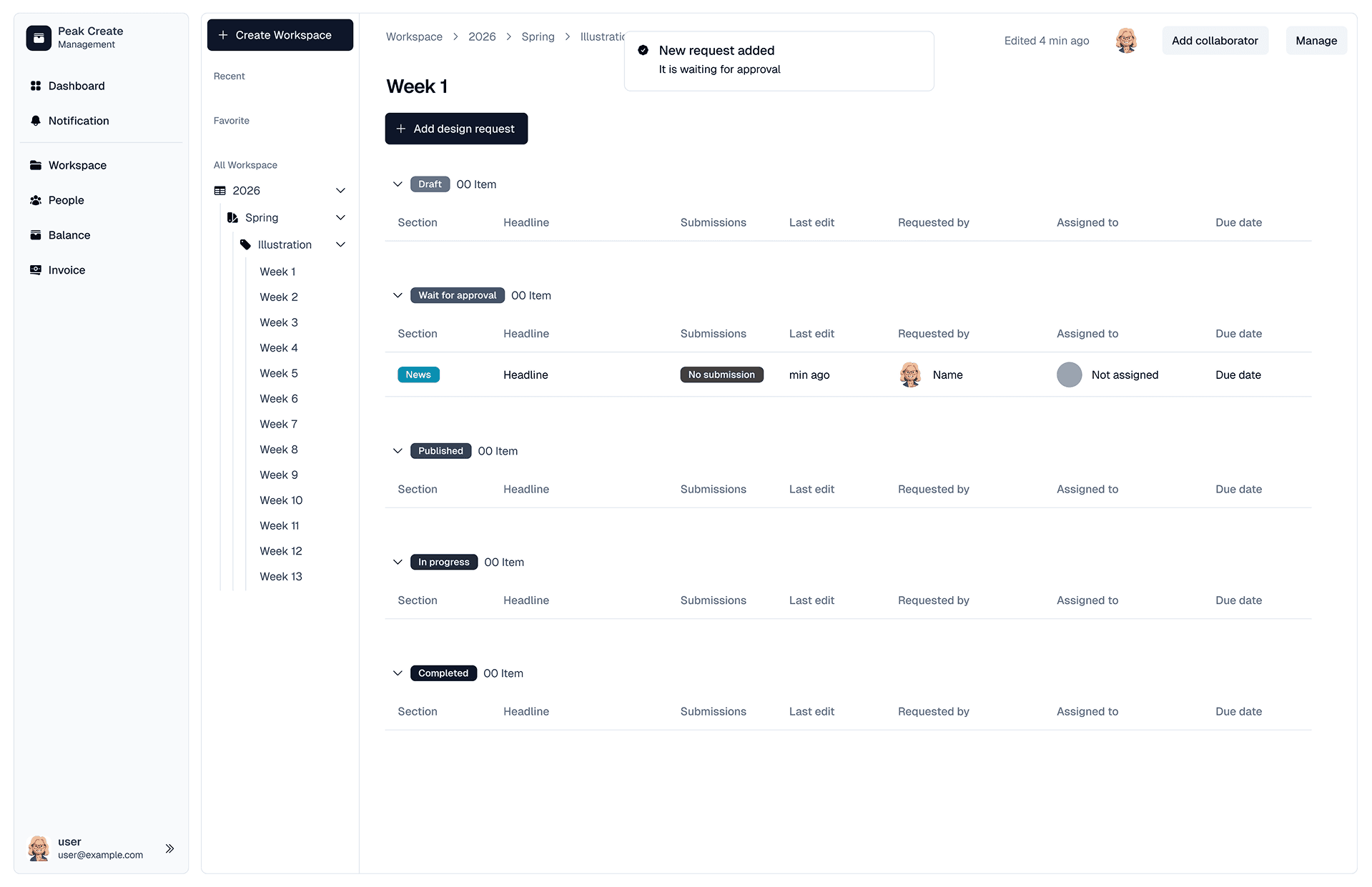
I rebuilt it around how The Peak actually works in their fixed weekly structure. Below are four major changes.
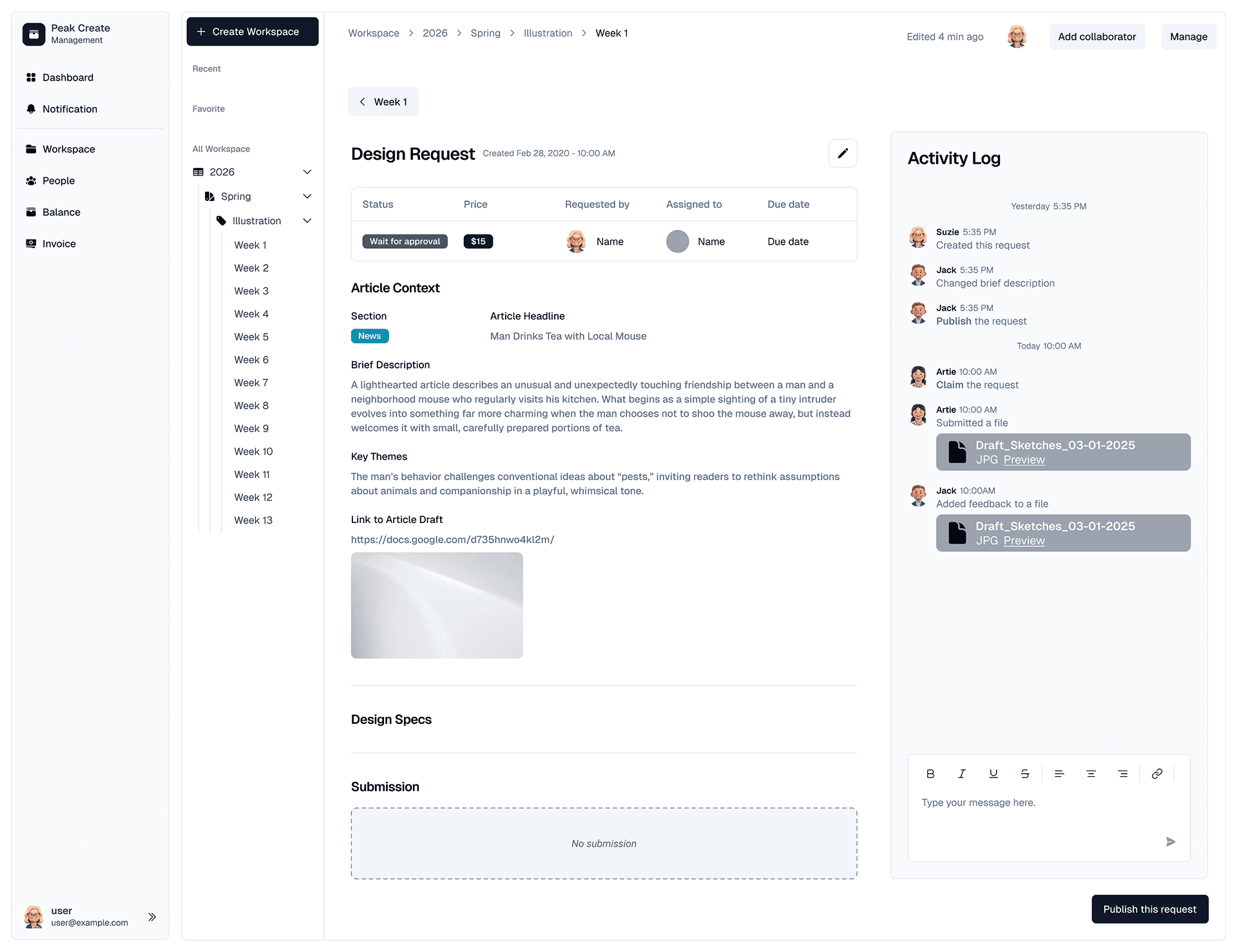
The Peak runs one illustration folder per semester, three per year. The navigation only needs three items: dashboard, projects, notifications.
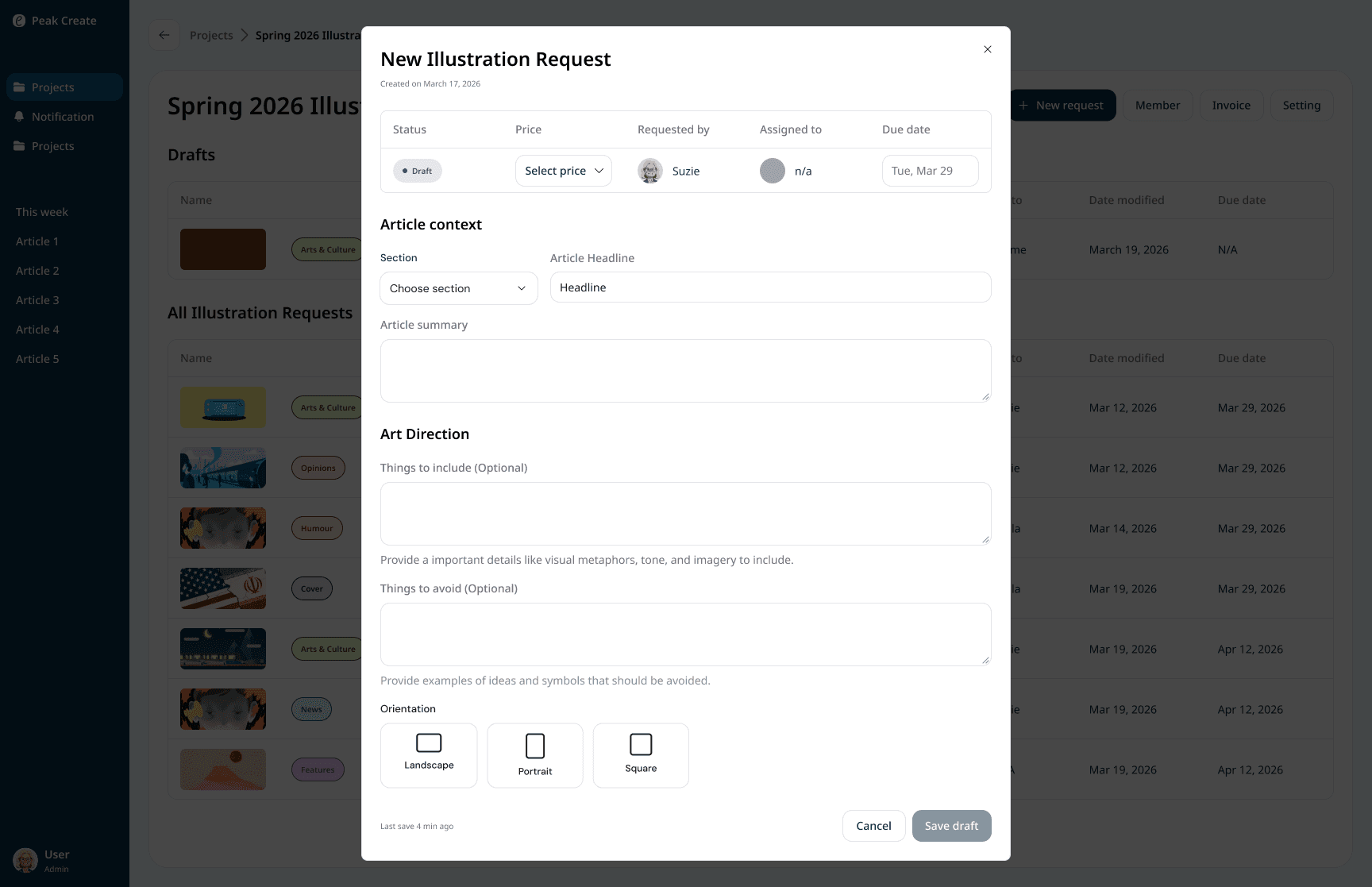
The structured form replaces the free-text spreadsheet cell. Section, pricing, article content, and art direction all in one place.
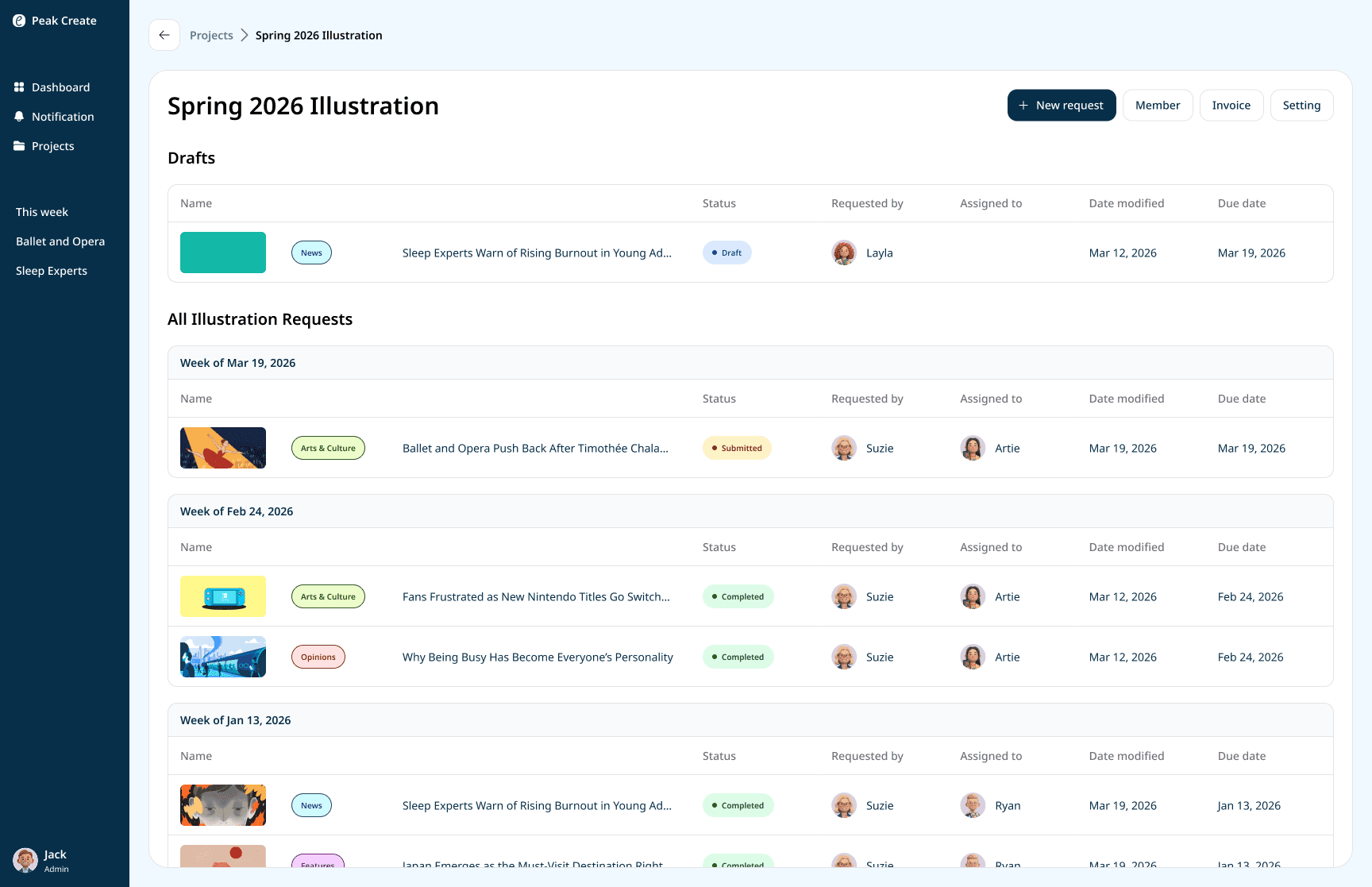
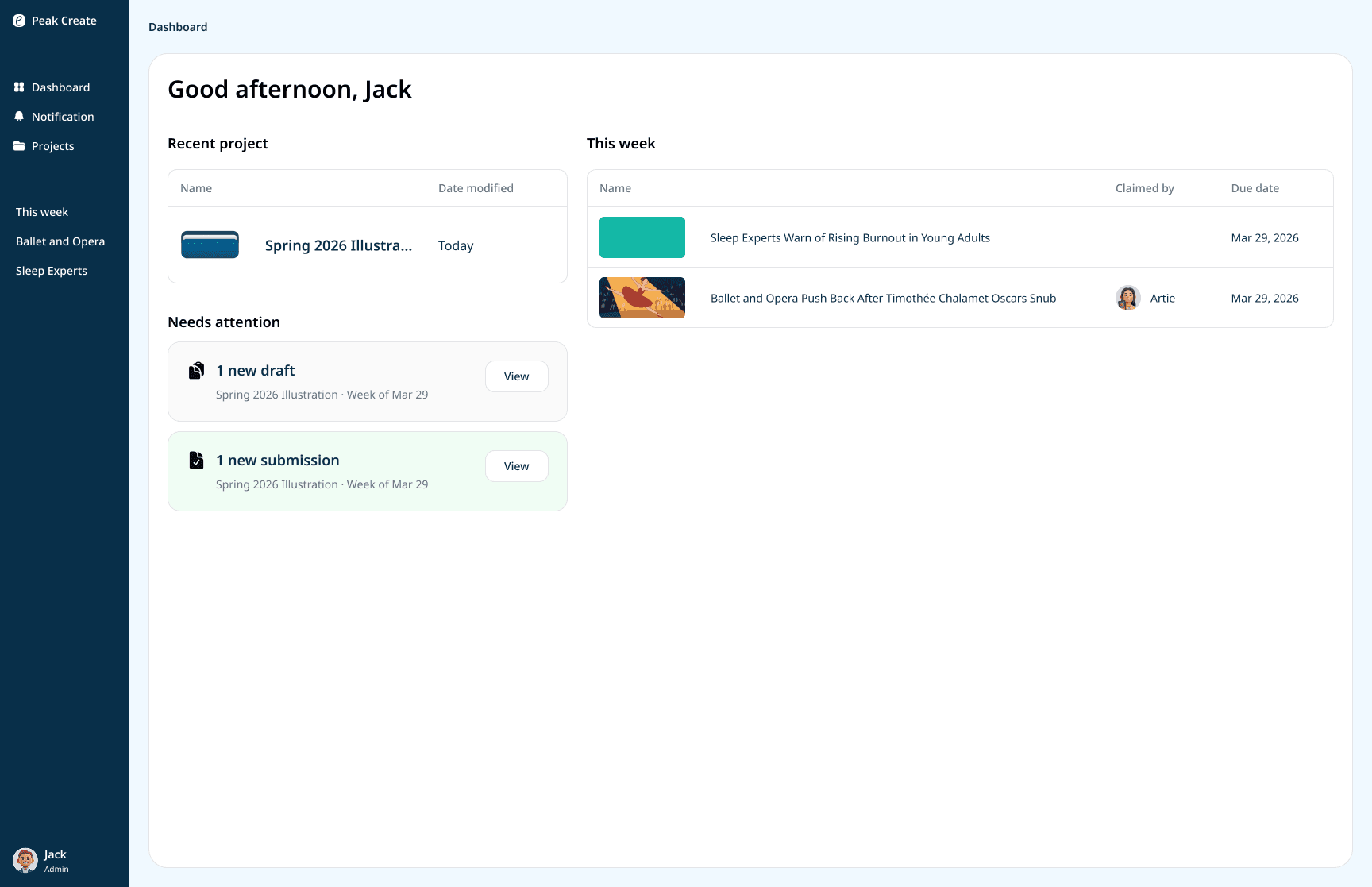
Requests are grouped by deadline week, synced to the Peak's weekly production cycle, so the dashboard always shows what's due now.
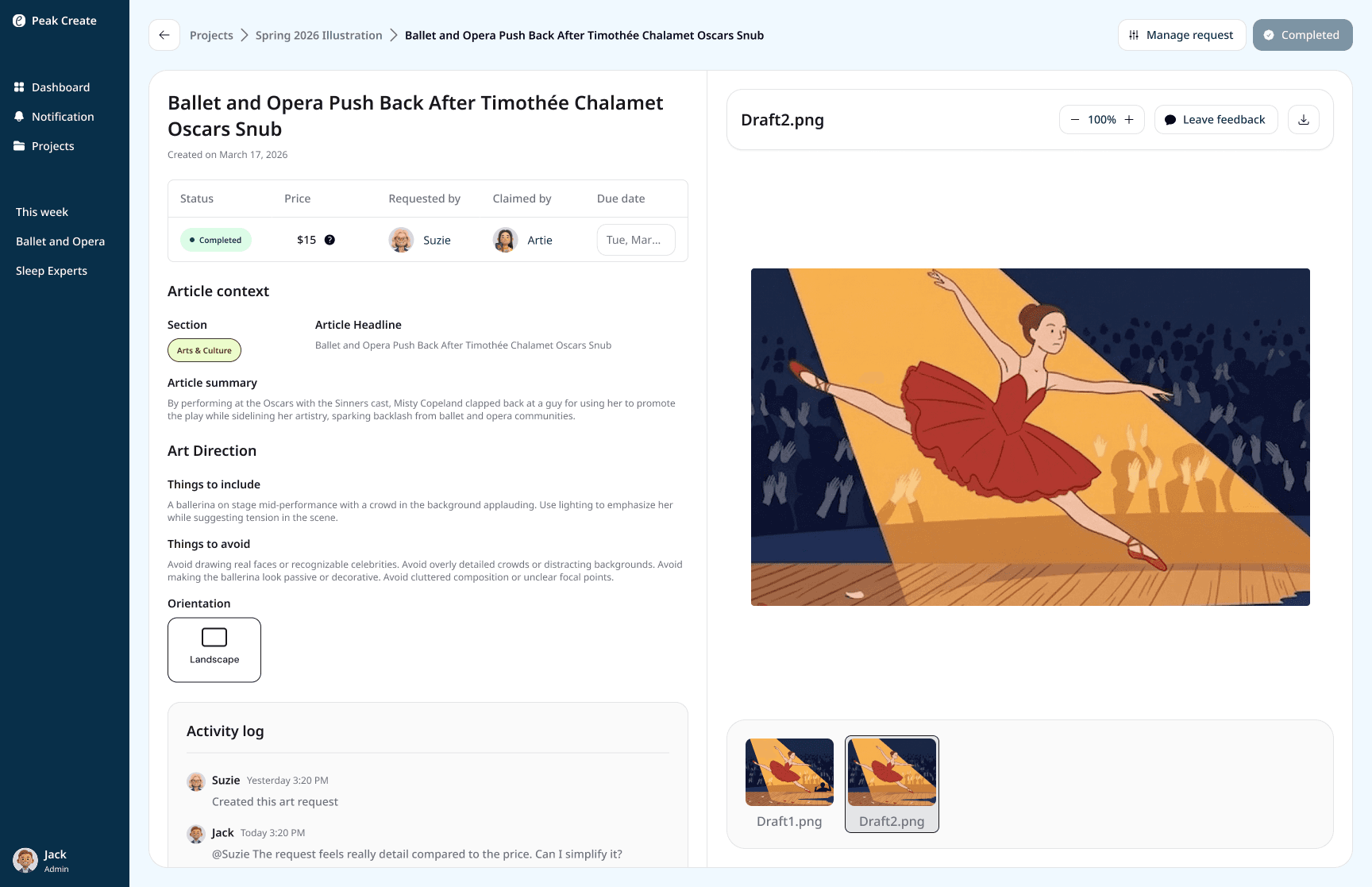
The artwork gets the most space. The brief sits alongside it so Jack can review and leave feedback without extra clicks.
User testing and revision
I led testing with 2 Production Editors while my team handled 4 illustrators. Users completed most tasks, but kept losing confidence at the same moments such as after leaving feedback, after uploading a file, after clicking a button. The interface gave no signal that anything happened. I revised the three core pages to fix this: clearer hierarchy, single primary actions, and visible confirmation at every step.
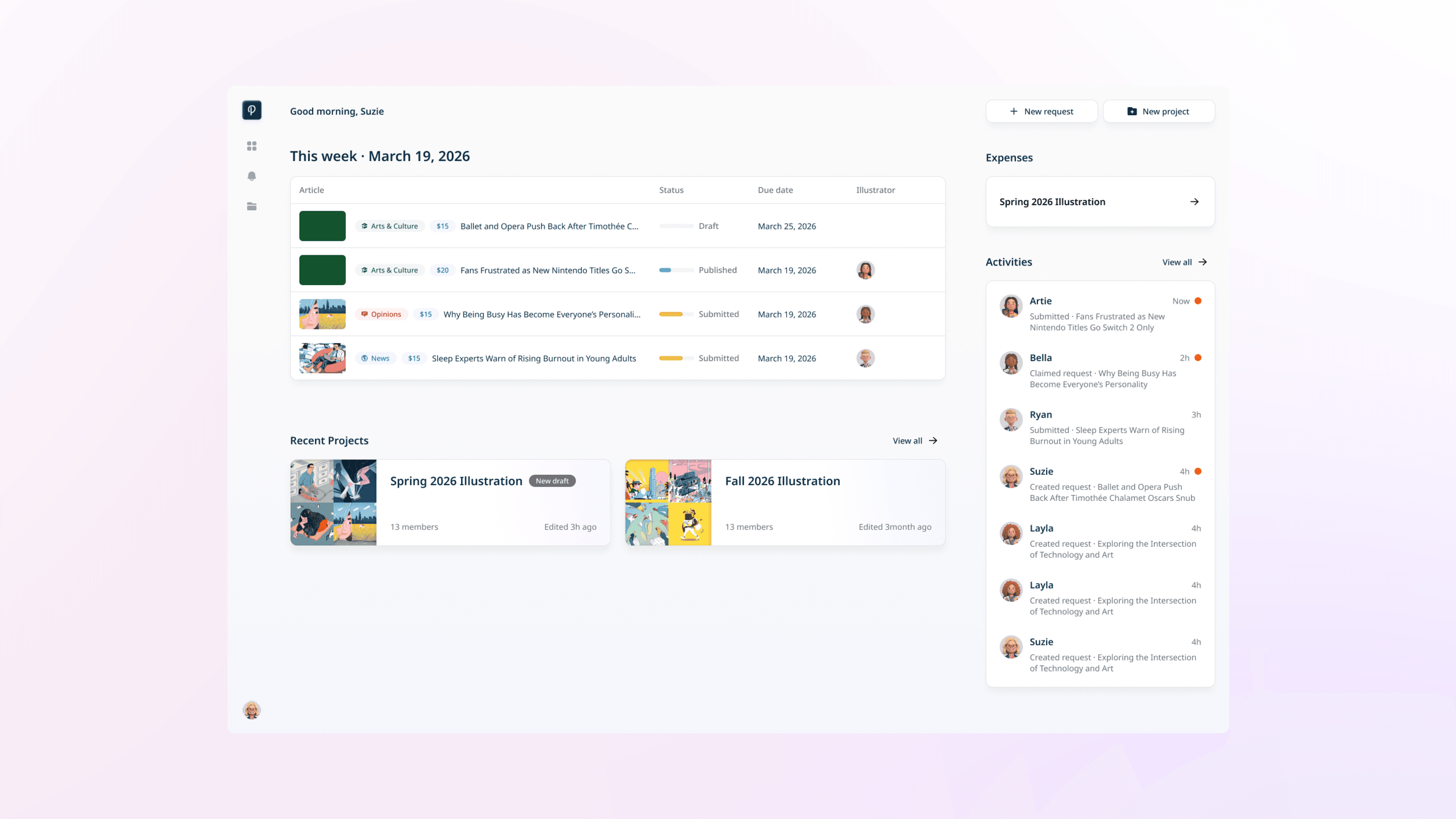
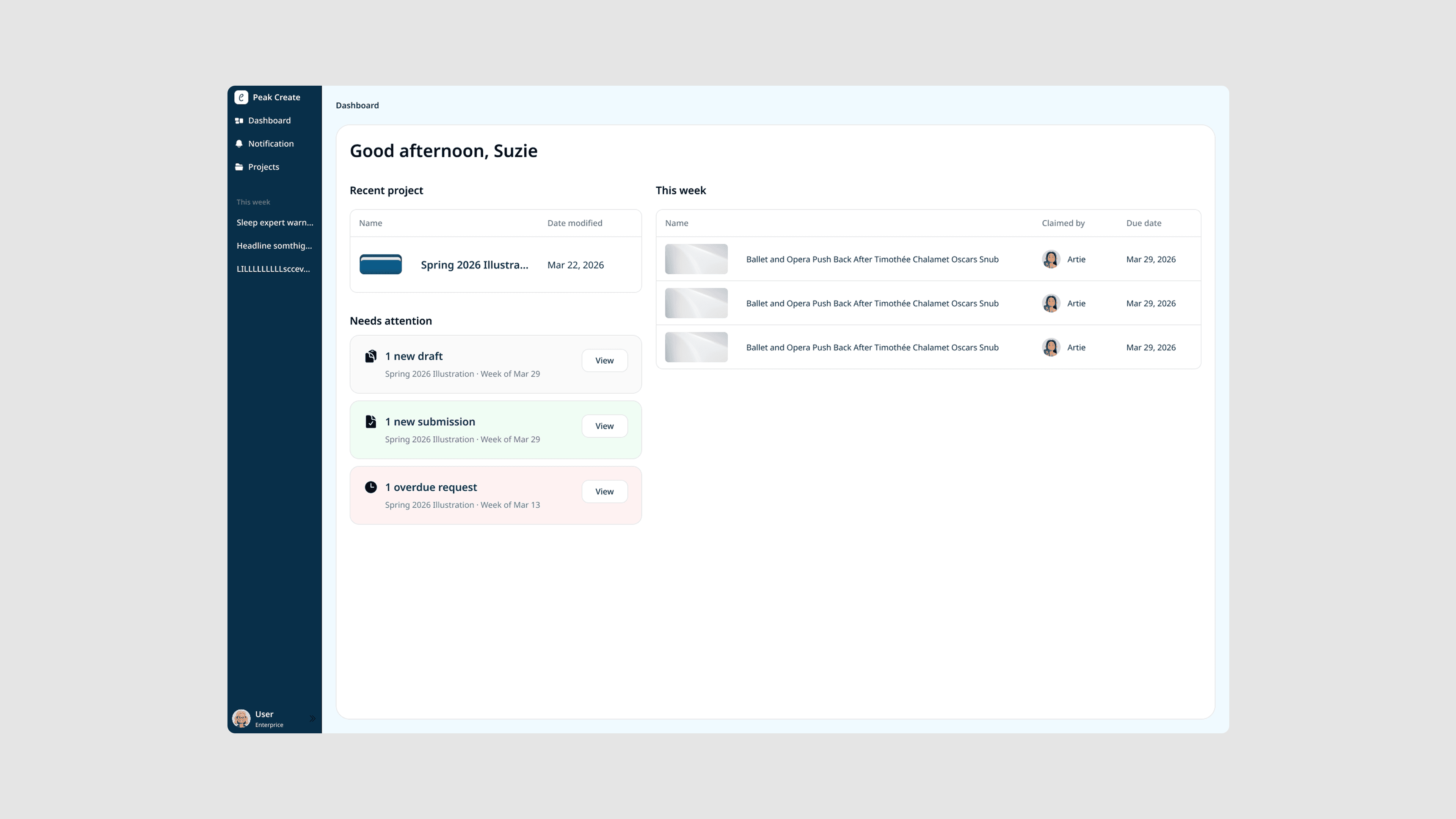
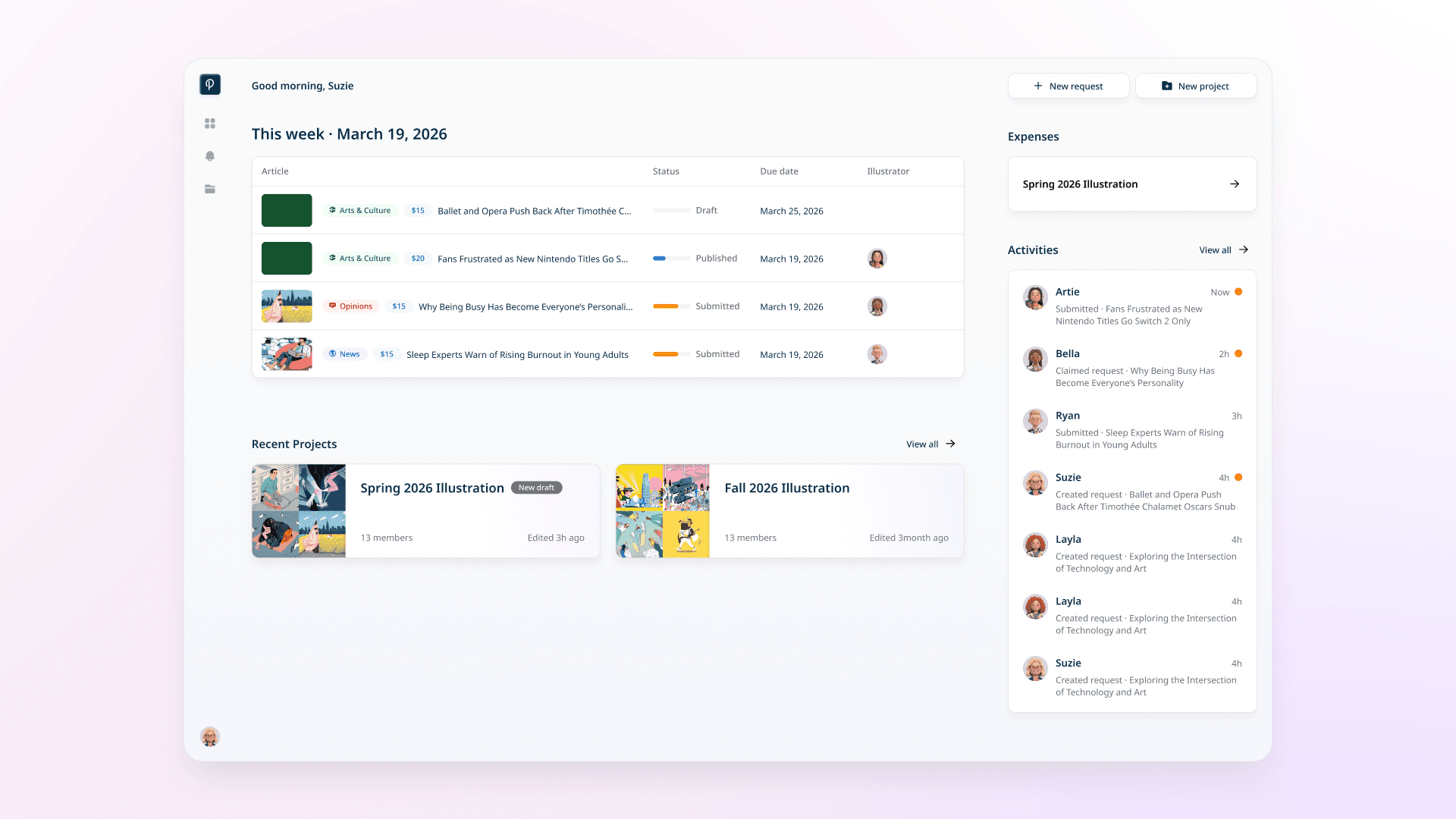
The dashboard was revised to show the current week's requests on login, with expenses and recent activity surfaced upfront. Users can see what's happening without digging into any folder.
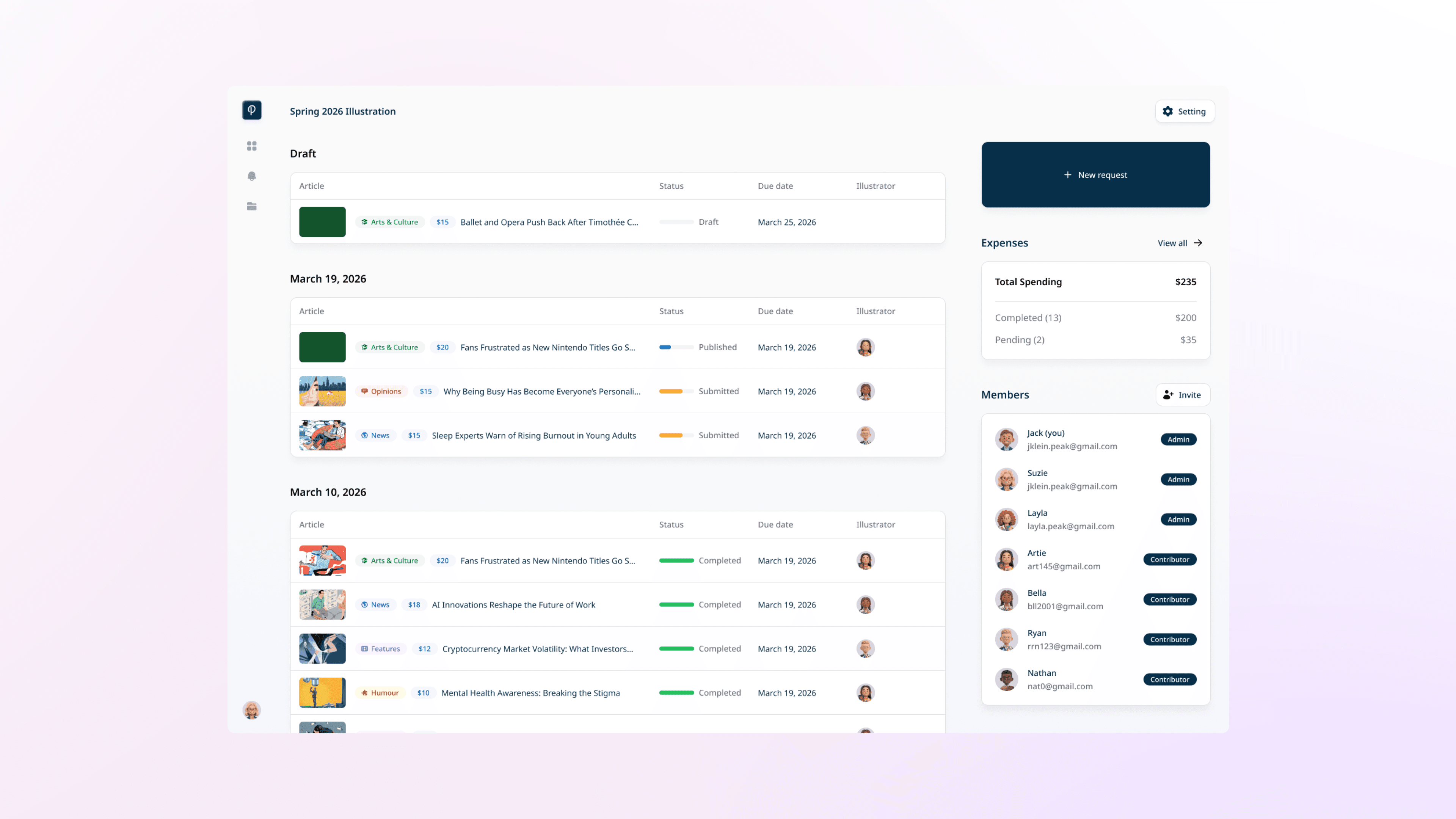
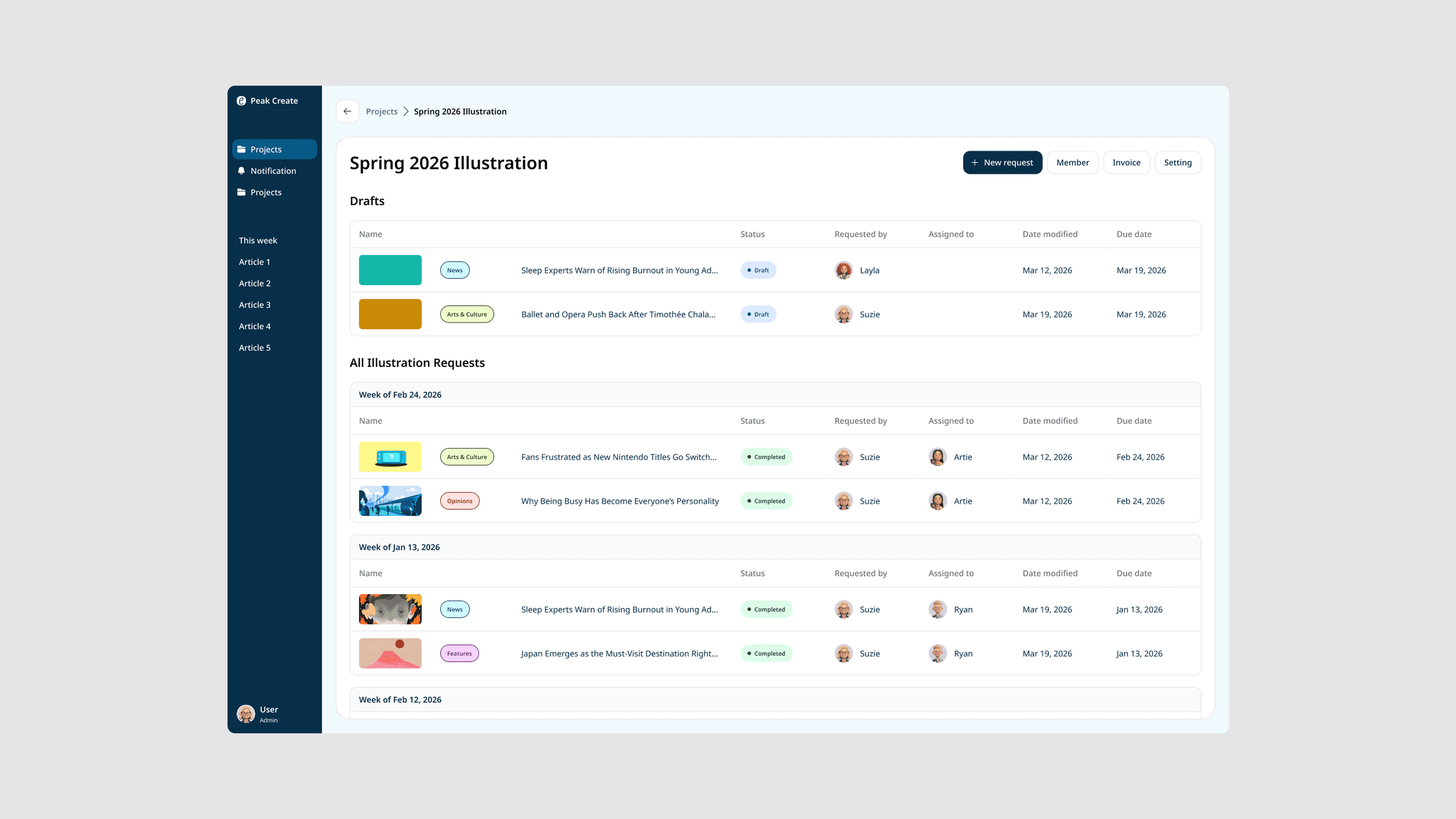
The project page was revised to surface actions, expenses, and members all in one view, with "new request" as the clear primary action so editors can submit without guessing.
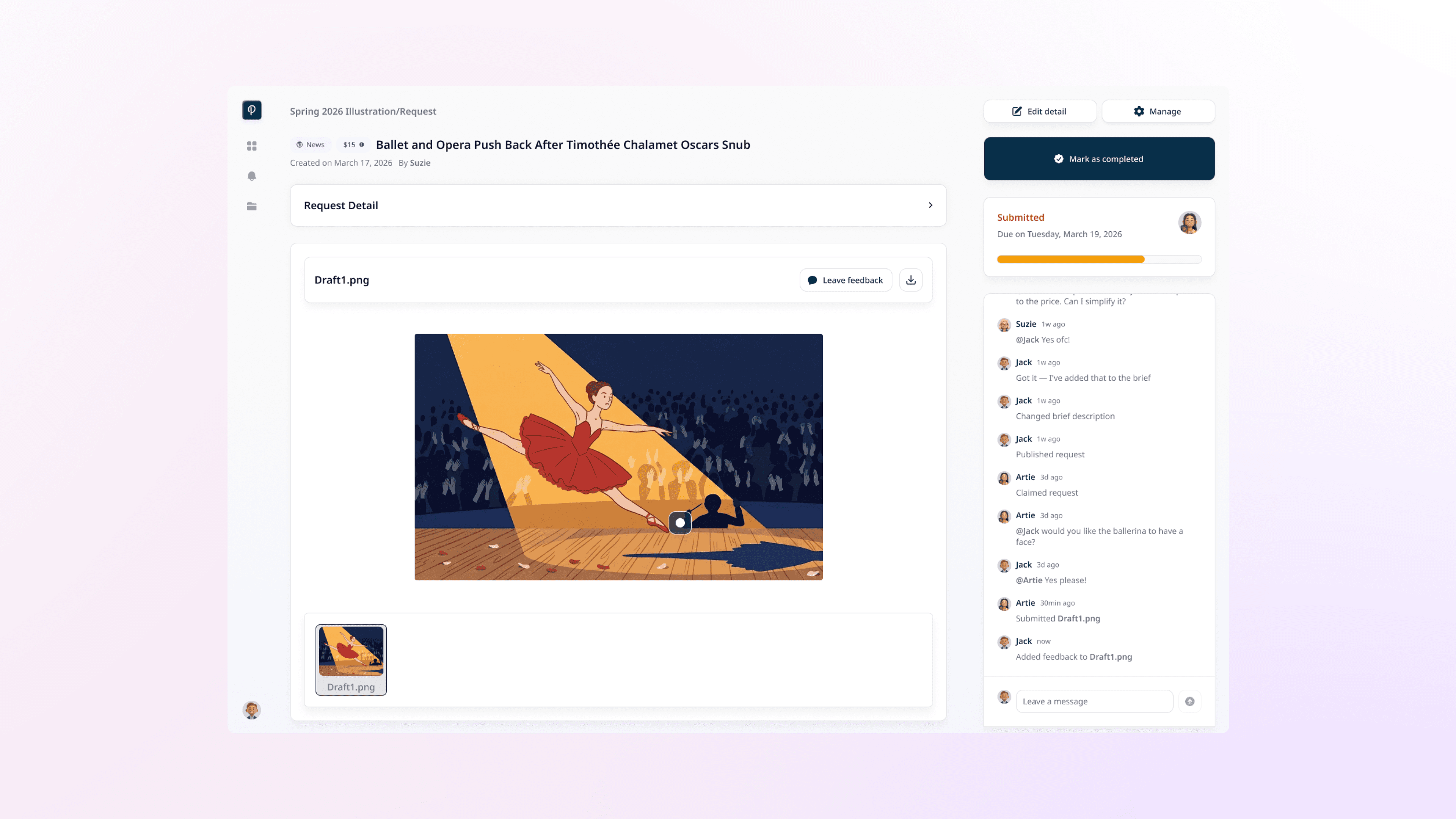
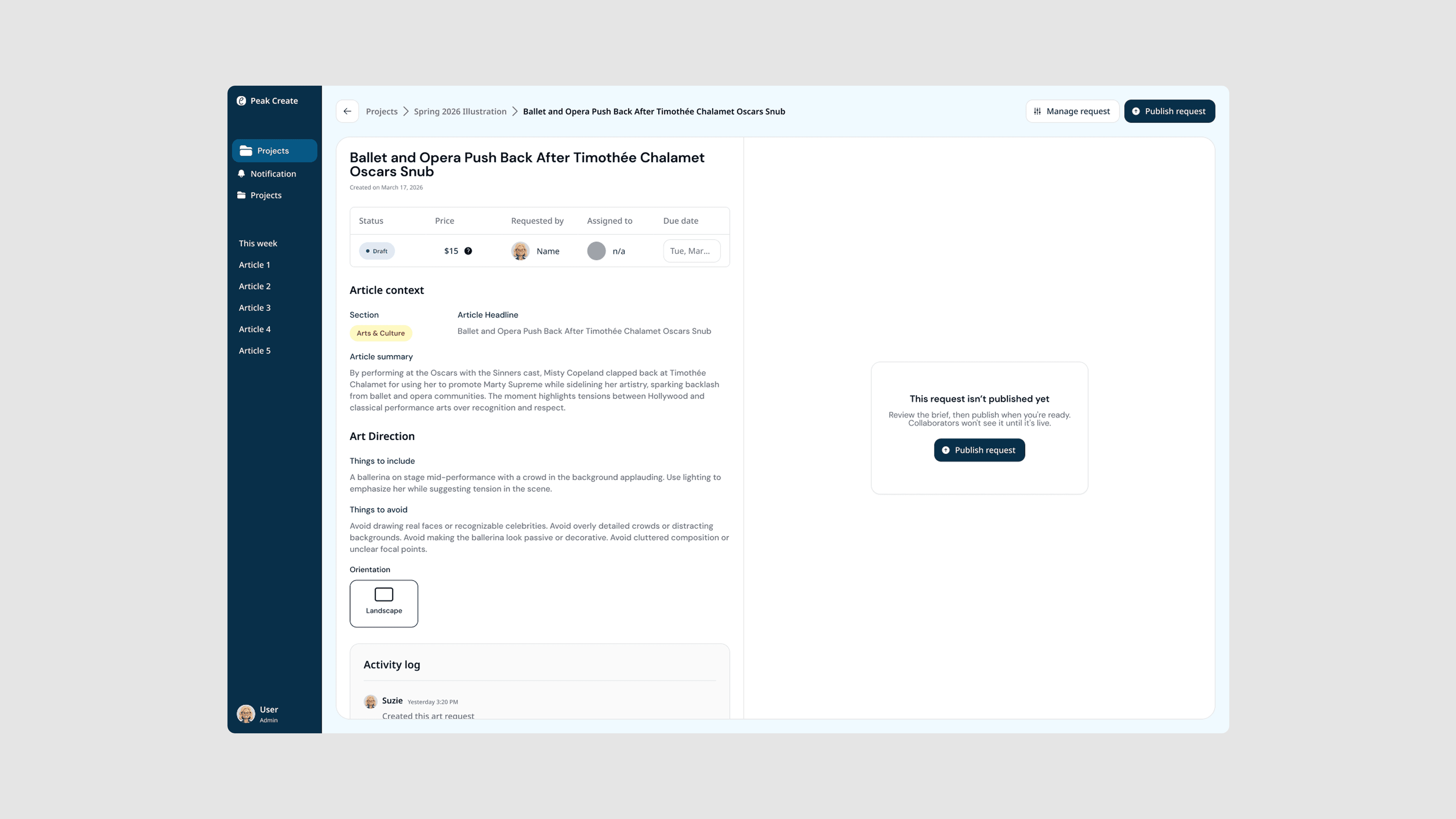
The request detail was revised to collapse the brief and give more space to the artwork, with a single prominent CTA and a progress bar replacing the status pill.
Final solution
Here's how everything comes together: one place for editors to brief, illustrators to submit, and the Production Editor to track it all without switching tools.
01 — project setup
Jack creates a semester project and invites the team in one place.
02 — structured brief form
Suzie creates a request. The form guides her through section, headline, price tier, description, and art direction.
03 — comment space and publish status
Jack reviews the request and leaves a question on the brief. When it's clear, he publishes and Artie is notified.
04 — claim and submission space
Artie browses open requests on her contributor board, reads the brief and claims the request. Once completed, she submits the artwork to the provided space.
05 — review artwork
Jack sees the submission, he opens the request and leaves feedback for Artie.
06 — complete status
When Jack is happy with the artwork, he approves it with one click. The request is marked Completed.
07 — semester invoice per contributor
At the end of semester, Jack checks the total of completed request and downloads Artie's invoice for payment.
Result
Stakeholder feedback showed strong potential to better support for managing requests from draft to completion,...
I like this more than the way we do it now because right now there's nowhere to keep requests that are like half baked, like they're not done.
Abbey Perley, Peak's Production Editor
...and reduce manual tracking, real confidence in adopting the system as a full replacement for the current workflow.
If this were real… this would actually be useful. It puts a lot of communication into one place, whereas with how the system works now, I have to track the weekly tracker, I have to track the illustrated tracker. I have to check Slack if I need to get clarification from the editors. So all those 3 places are streamlined here.
Josh Ralla, former Peak's Production Editor
Learning
Understanding the system helped me prototype with full confidence.
I prototyped every interaction with error states and system feedback built in, so during testing, users never had to pause between screens guessing what comes next. That meant the feedback we collected reflected real usability issues, not gaps in the prototype itself.